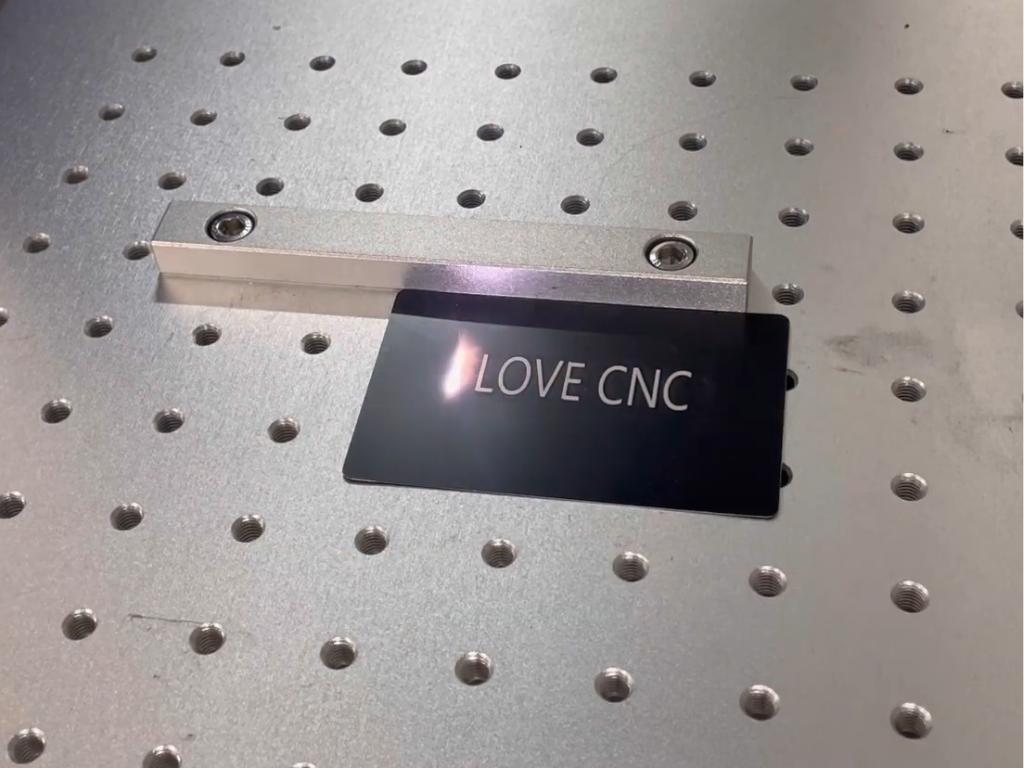
A serial number on a casing, a DataMatrix on a surgical instrument, a logo on a nameplate: all of these can be applied with ink, a sticker, a needle, or light. Laser marking is the winning choice where the mark must survive washing, solvents, an autoclave, or twenty years on a machine, and where the part must not be touched. However, it is not a single method, but a family of several completely different processes.
This text organizes them into two tables. The first shows what physically happens to the material during laser marking—from annealing steel to color on titanium—and in which processes the material is lost and in which it is not. The second compares the laser with the microdot, the cutter, the inkjet, and the label using the same columns: consumables, durability, time, cost, contact with the part, and suitability for coding.
Finally, there's a list of situations where lasers aren't the best tool. These numbers are based on laser manufacturer publications and GS1 guidelines.
Laser Marking vs. Engraving: What's the Difference?
In everyday language, "engraving" and "mark" are often synonymous. In technology, the difference is stark. Engraving is the removal of material: a beam vaporizes metal or plastic, leaving a recess. Marking is the alteration of a surface's appearance, either without a recess or with a negligible recess—through oxidation, discoloration, foaming, or the removal of a thin coating.
This difference determines whether the mark changes the dimensions and roughness of the part, whether it will survive painting, and how long it will take. Therefore, in this article, we are talking about marking, and we discuss deep metal engraving separately in the text on blackness, depth, and durability of metal engraving (source in Polish) .
Today, the source of industrial metal marking is almost always a fiber laser, also known as a fiber (the beam is formed in a doped glass fiber), with a wavelength of 1064 nm. Plastics, glass, and organic materials are also supported by a CO2 laser (10.6 µm) and a UV laser (355 nm). According to marking machine manufacturers, UV breaks chemical bonds instead of melting the material, hence the term "cold marking"; fiber and CO2 primarily work by heat.
Laser Marking of Metal and Plastics: Six Methods in One Table
The six processes below differ in what they do to the surface. The choice depends on the material, the desired contrast, and what will happen to the part later.
| Method | What happens to the material | Materials | Effect | Material loss | Laser source |
|---|---|---|---|---|---|
| Annealing | The surface is heated to the melting point, an oxide layer grows | Stainless steel, steel, titanium (only these according to the laser manufacturer) | Black, dark brown or gray mark | None; oxide according to him usually below 300 nm | Fiber, slower scan (JPT), shifted focus (laser manufacturer) |
| Shell ablation | Removing a thin top layer, exposing the substrate | Anodized aluminum, painted, plated, chrome-plated metals | Contrast between coating and substrate | Only the coating | Fiber; also CO2 on the anode |
| Carbonization | Local pyrolysis, dark carbon products in the material | Light plastics (PC, ABS, PA), wood, leather, paper | Dark sign on a light background | None or negligible | Fiber, CO2 (under UV the dark mark is caused by a photochemical color change) |
| Foaming | Partial melting and gasification, bubbles scatter light | Dark materials | A bright, slightly convex sign | None; elevation 20–40 µm according to machine manufacturer | Fiber (MOPA reduces foaming) |
| Removing a layer | Evaporation of the top layer of laminate, foil or two-layer varnish | Engraving laminates, foils, multi-layer paper, two-color materials | Color of the backing layer | Top layer | CO2, fiber |
| Color (MOPA) | Controlled oxide thickness, color from thin-film interference | Stainless steel, titanium | Gold, brown, purple, blue and others | Lack | Fiber MOPA with adjustable pulse time |
Black and color are the same oxide layer of varying thickness: according to JPT, the color changes every tens of nanometers, and according to marking machine manufacturers, reproducible colors require a MOPA source with adjustable pulse duration. Annealing parameters and the MOPA source are described in the text on metal engraving linked above.
Three intermediate methods work on plastics. The effect that occurs depends on the polymer, dye, and wavelength, rather than power: according to the marking manufacturer, polyethylene and polypropylene react poorly to 1064 nm and require additives or UV. Selecting a wavelength for a specific material is discussed in the article on laser marking of plastics .
Mark durability: abrasion, chemicals, temperature and what to do after marking
Laser mark durability isn't a single number: it depends on the method in the table above and the stresses the part will be subjected to. None of the sources cited here provide a specific number of abrasion cycles, so we won't provide one either.
Abrasion. The annealed mark is embedded in the oxide layer, so it will disappear with it when sanded; according to the laser machine manufacturer, the recessed engraving is "extremely resistant to external factors." If the part is sanded or shot-blasted after marking, the mark will not survive without damage—post-process marking or in-depth engraving is necessary.
Chemistry and temperature. According to the marking manufacturer, UV markings on medical materials are resistant to solvents, autoclaves, and abrasion, while pad printing may fade or peel after sterilization. JPT lists steam sterilization at 134°C as an exposure test for an annealed mark on steel. Passivation is an exception: according to a white paper from a laser manufacturer, nitric acid "unfortunately also removes laser markings," and another manufacturer has a similar experience; the sequence of operations for the codes is described in the text about metal marking, linked below.
Painting, galvanizing, coatings. A flat mark is no longer visible under the paint; a code under a thin conversion coating can be legible, but this should be verified with a verifier, not by eye. A rule of thumb: determine the sequence of operations in advance and mark after the final surface treatment, and if that's not possible, choose the method with a defect.
UV and outdoor conditions. A mark embedded in an oxide or plastic structure doesn't fade like paint because it lacks pigment to degrade. According to the marking manufacturer, the labels peel, fade, and smudge when exposed to heat and chemicals; GS1 adds that they are not suitable for heat-sterilized products.
Six marking techniques side by side: laser, microdot, cutter, inkjet, label
Laser is typically associated only with milling. However, in the workplace, it also competes with dot peen, inkjet printing (CIJ), and label or pad printing. Quality assessments are based on the laser manufacturer's white paper (2020), marking manufacturer materials, and GS1 guidelines; the comparison is presented in two tables with the same rows.
| Technique | Consumables | Durability | Time for art |
|---|---|---|---|
| Fiber laser (1064 nm) | None; electricity, periodically protective glass and exhaust filters | Durable | Very short – entire DataMatrix under 1 second |
| CO2 laser (10.6 µm) | Limited life tube, optics, metal preparation (CerMark and similar) | Durable on organics and coatings; on bare metal only through the preparation | Short on plastics, wood, glass; longer on metal with preparation |
| Micro point (dot peen) | Stylus (needle) | Very durable; withstands post-plating processes | Long – 3-8 sec per character |
| Mechanical engraver (cutter) | Milling cutters, optionally coolant | Durable, deep | Long, grows with depth |
| Inkjet / CIJ | Ink, solvent, filters, disposal | Perishable; "can be worn away with time" | Very short, marking in motion |
| Label / pad printing | Labels, tapes, pads, paints, solvents, films | Limited; labels peel off and fade, tampon fades after sterilization | Short in application, but printing and sticking are included |
| Technique | Unit cost | Contact with detail | Documentation (2D codes) |
|---|---|---|---|
| Fiber laser (1064 nm) | Low after depreciation; high purchase cost (purchase $$$$, operation $) | Contactless, the detail does not need to be rigidly attached | DPM type A according to GS1 (combined modules), verification according to ISO/IEC TR 29158 |
| CO2 laser (10.6 µm) | Low on organics; preparation increases cost on metal | Contactless | Codes on labels, laminates, plastics, glass; not on bare metal |
| Micro point (dot peen) | Low purchase, operating $$$ | Contact and force; the part must be fixed; noise | DPM type B (unconnected modules); GS1 allows, but with a larger minimum module than for laser |
| Mechanical engraver (cutter) | Medium; tool and machine time | Contact, cutting forces, clamping | 2D codes are difficult – the width of the tool is limited by the module; rather by inscriptions and scales |
| Inkjet / CIJ | Low purchase, operating $$$$ (repeating, often monthly expenses) | Contactless | Printed codes, evaluated according to ISO/IEC 15415; readability depends on the substrate and time |
| Label / pad printing | Low unit cost but constant cost of materials and pattern change = new plates | Gluing or pressing the tampon | The label gives the GS1 "ideal symbol", but not for heat sterilization |
Two things are worth remembering. The first is the time: less than a second versus several seconds per character, according to the marking manufacturer, which means a different station organization in the series. The second is the cost structure: according to the marking system manufacturer, a laser costs two to three times more to purchase than an inkjet, but lower operating costs result in a lower total cost; the marking manufacturer estimates the payback for fiber versus CIJ at eighteen to thirty-six months. These are laser manufacturer estimates—calculate them for your own volume.
When laser is not the best choice
The table above is favorable for the laser, so here are the exceptions.
- Disposable, large inscriptions on bulk packaging or pallets: inkjet or label are cheaper to purchase and durable enough to last several weeks of the life of the box.
- Materials insensitive to 1064 nm include bare polyethylene and polypropylene without additives, glass and transparent plastics (fiber passes through them), and bare metal under CO2. This can be circumvented with UV, laser-active additives, or a preparation, but this increases the cost of the machine or process.
- Very deep, load-bearing markings (numbers on forgings, marks on welded and shot-peened parts): a micro-dot or milling cutter produces depth faster than multiple laser passes, and the white paper emphasizes that dot peen withstands post-plating processes.
- Changing the color of the sign at the customer's request: CIJ allows you to choose the ink color; laser gives what results from the material (on PVC only the gold sign).
- Occasional marking in a small workshop: the purchase cost and health and safety requirements of a Class 4 laser are not spread over a sufficient number of hours – then outsourcing the service is more reasonable; the threshold calculation is in the text about whether to outsource laser engraving .
There remains PVC and other chlorinated materials: a laser will mark them, but according to the marking system manufacturer, they release chlorine, which, when combined with water vapour, creates hydrochloric acid; an exhaust system with a chemical filter is a "fundamental requirement", and filters are replaced more frequently than for other materials.
Codes, numbers and standards: what a permanent marking must meet
For most companies, permanent laser marking effectively means a DataMatrix or serial number that must be read by a scanner—not a human. Standards apply: ISO/IEC 16022 defines DataMatrix, ISO/IEC 15415 evaluates the quality of printed symbols, and ISO/IEC TR 29158 evaluates the quality of directly marked symbols (DPM). GS1 believes that the 15415 standard alone is insufficient to evaluate DPM codes.
GS1 distinguishes two types of direct marks: Type A with connected modules (laser, etching) and Type B with detachable modules (microdot). For small medical devices marked with a laser, GS1 guidelines specify a minimum module size of 0.100 mm, and for a microdot, 0.200 mm—thus, the laser can fit a readable code in a smaller space. For reusable medical devices, the MDR requires a UDI carrier on the device itself, permanent after each reprocessing.
A code verifier is not the same as a reader: the reader tells you the code was read today, the verifier tells you what class and margin it has. Contrast, module size relative to the dot, and post-processing readability are discussed in the article about metal marking machines and DataMatrix codes .
What machine is used for laser marking parts?
For metals, coated metals, and plastic parts, a stationary fiber marker with a galvanometric head—a pair of mirrors that guide the beam across the work area without the table moving—is sufficient. An example is the RBZ 2020 fiber marker with a Raycus 50W source and a 200 x 200 mm field; according to the manufacturer's website, its applications include barcodes, QR codes, serial numbers, and logos on metals and selected plastics, as well as nameplates. Full specifications can be found on the product page.
For heat-sensitive materials, glass, and electronics, a UV laser, which operates at 355 nm and marks without melting, is more appropriate. The RBZ 1515UV UV marker has a guide price of PLN 19,512.00 net (process-specific configuration). Both types, along with an optional rotary axis for cylindrical workpieces, can be found in the Roboteus laser markers category. The price of the RBZ 2020 is determined by the process-specific pricing, as the material, mark type, and required code class change the configuration more than the power.
One safety note: an open galvo head is a Class 4 laser, while the same machine in a fully enclosed enclosure with interlocks can be a Class 1 product according to PN-EN 60825-1. The 1064 nm beam is invisible, so wavelength-matched glasses and a fume hood are not a formality; the selection of the enclosure, glasses, and fume hood is described in the text on how to choose a laser marker .
Frequently asked questions
What is the difference between laser marking and laser engraving?
Engraving removes material and leaves a recess; marking changes the surface appearance with little or no loss—by annealing, discoloring, foaming, or removing the coating. Engraving survives paint and sanding shallower than its depth; a flat mark does not, but it does not change the dimensions or roughness of the part.
Is laser marking permanent?
Yes, if the method is chosen based on what the part will undergo later. According to JPT, an annealed mark on steel can withstand steam sterilization, while UV marks on plastics can withstand solvents and autoclaving. However, they will not withstand grinding or—according to the laser manufacturer—nitric acid passivation, so the sequence of operations must be determined before marking.
How does color laser marking work?
The color on stainless steel and titanium is an oxide layer of controlled thickness: the color is derived from light interference within the thin layer and, according to JPT, varies by tens of nanometers. Reproducible colors require a MOPA source with adjustable pulse duration. Parameters and limitations are described in the text on laser engraving on metal (source in Polish) .
Does a CO2 laser mark metal?
Bare metal reflects a 10.6 µm beam – according to the marking machine manufacturer, marking metal with a CO2 laser is almost impossible and requires a ceramic preparation, while fiber is suitable for serial marking of steel or aluminum; how it works and how much it costs to bypass the preparation is described in the text on laser engraving in metal (source in Polish) .
Laser or microdot for serial numbers on steel?
Laser, if time is of the essence and codes are small: according to the marking manufacturer, the entire DataMatrix is created in under a second, and the microdot takes several seconds to create a mark. Microdot, if the mark needs to be deep and resistant to plating or shot peening, is very durable, according to the laser manufacturer, but slow and requires the part to be secured.
Does laser marking require extraction?
Yes. Metals produce oxide dust, plastics produce fumes, and PVC, according to the marking system manufacturer, produces chlorine, which, when combined with moisture, creates hydrochloric acid. An exhaust system with a HEPA filter and a chemical section protects the operator, optics, and the machine itself.
Sources
- https://roboteus.com/pl/maszyny/znakowarki-laserowe/znakowarka-fiber-rbz-2020/
- https://roboteus.com/pl/maszyny/znakowarki-laserowe/
- https://jpt-laser.com/applications/laser-annealing-marking/
- https://ref.gs1.org/guidelines/datamatrix/
- https://webgate.ec.europa.eu/udi-helpdesk/en/udi-carrier/direct-marking.html
- https://www.ciop.pl/CIOPPortalWAR/file/99433/Ochrona_przed_promieniowaniem_laserowym_MatInf_M.Okrasa_I.PN.06.pdf
- https://roboteus.com/pl/maszyny/znakowarki-laserowe/rbz1515uv/
Editorial note
Manufacturers' declarations cited in the text are from their publications and are subject to change; please verify list prices at the source before making a decision. The effect, durability, and duration of marking depend on the specific machine, material, coating, and parameters—before implementation, conduct tests on your own components. This text does not replace the manufacturer's instructions or occupational health and safety regulations regarding working with lasers, particularly Class 4.