
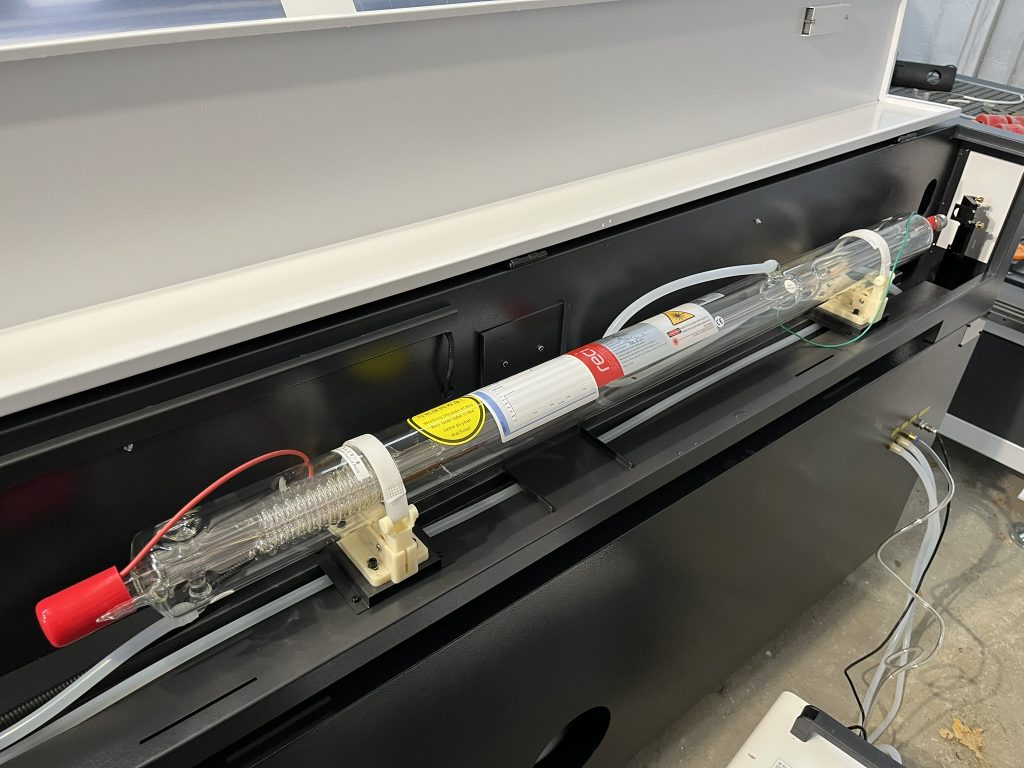
Someone looking for a CO₂ laser often starts with a simple question: How many watts do I need? 40W, 60W, 80W, or maybe 100W or more? The natural answer is: since more power means more energy, a more powerful laser should cut faster and thicker materials.
This is true, but only partially. Higher power can increase the laser's capabilities and efficiency, but it doesn't guarantee better cutting. The final result is also influenced by the material, its thickness and composition, beam focus, optics, lens, operating speed, air assist, exhaust, and the stability of the entire machine.
Therefore, a 100W laser won't always produce a nicer cut than an 80W laser. However, it may allow you to work faster, cut thicker material, or reduce the number of passes. This is an important difference, especially for a small business, advertising studio, or someone who wants to produce more than a few individual pieces per month.
What does laser power actually mean?
Laser power, expressed in watts, determines the amount of energy delivered by the source over time. Simply put, the higher the power, the more energy can be delivered to the material during cutting.
In practice, more power usually brings three main benefits:
- Ability to cut thicker materials.
- Possibility of increasing speed with the same thickness.
- Greater flexibility for more difficult or less homogeneous materials.
This doesn't mean, however, that laser power is a dead end. If the material is misaligned, the optics are dirty, the focus is incorrect, or the extraction is insufficient, additional watts won't solve the problem.
Different materials require different speed, power, and frequency settings. Glass should not be processed with the same parameters as acrylic, and the settings also depend on the specific model and power of the device.
More power and cutting speed
The most noticeable advantage of a more powerful laser is usually faster operation , not automatically better quality.
Imagine two CO₂ lasers needing to cut the same sheet of plywood of the same thickness. An 80W laser can cut correctly at a slower speed. A 100W laser can increase speed while maintaining a similar result. In mass production, reducing the time per pass may be more important than simply being able to cut even thicker material.
For a hobbyist, a difference of a few seconds or minutes often won't matter. For an advertising company producing dozens of signs, letters, or decorative elements daily, it can translate into increased throughput and shorter turnaround times.
However, it's important to remember that you can't always simply increase power and speed without testing. Working too fast can result in undercutting. Going too slow can excessively burn the edge, widen the kerf, or leave more residue.
Does a more powerful laser cut thicker material?
Yes – more power typically increases the thickness range that can be processed, but there is no one-size-fits-all table that applies to every machine.
The result is influenced by, among other things:
| Factor | Why does it matter? |
| Type of material | Wood, MDF and acrylic differ in density, composition and how they absorb energy. |
| Material thickness | The thicker the material, the more difficult it is to dissipate heat and obtain a clean gap throughout its entire depth. |
| Moisture content and sheet quality | Natural wood and boards may vary between batches. |
| Campfire | The beam must be focused in the right place so that the energy is concentrated where it is needed. |
| Lens | Different focal lengths offer different options for detail and cutting depth. |
| Air assist | Helps remove combustion products, cool the cutting area and reduce the risk of ignition. |
| Guy wire | Removes smoke and pollutants and improves working conditions. |
| Optical condition | Dirty mirrors or lenses can significantly reduce the effectiveness of the system. |
| Machine mechanics | Stable movement and correct guidance affect the repeatability of cutting. |
For this reason, the statement "100W laser cuts 20 mm" without specifying the material, its quality, speed, number of passes, and expected edge quality is incomplete. Cutting thin plywood is different, MDF is different, and acrylic is different again.
80 W CO₂ Laser – Who is it a good choice for?
An 80W CO₂ laser is often a reasonable starting point for a small business, advertising studio, or more advanced hobbyist. This power allows you to work with popular materials like wood, plywood, MDF, and acrylic, without necessarily requiring excessively large equipment.
An 80W laser may be a good choice when:
- most of the work concerns materials of low or medium thickness;
- production does not require the maximum possible speed;
- both cutting and engraving are important;
- the user wants to keep the purchase and operating costs reasonable;
- available space, power supply or infrastructure limits the size of the site.
This doesn't mean that 80W is right for everyone. If your company plans to regularly cut thicker MDF, larger acrylic components, or fulfill many repeat orders, it's worth comparing this configuration with a 100W or higher power output.
When is it worth choosing 100W or more?
A power of 100 W or higher may make sense especially when the laser is to be used as a production tool and not just for occasional projects.
Higher power will be justified when:
- the company wants to reduce the time it takes to cut a large number of parts;
- thicker sheets of wood, MDF or acrylic are planned;
- customers need to be offered a wider range of materials and thicknesses;
- the ability to work at higher speeds while maintaining a single pass is important;
- the machine must be prepared for business development;
- the cost of downtime or an additional transition is higher than the difference in the price of the device.
However, a more powerful laser may not always be cost-effective for someone who primarily engraves, works with thin materials, or completes several small projects a week. In such cases, the higher power may go unused.
Wood and plywood – it's not just about power
Wood is a natural material, so two sheets of the same thickness don't always behave identically. The species, moisture content, grain direction, resin, and adhesives used in the plywood all play a role.
With wood, higher power may allow for faster cutting, but the edge can still be burned if the speed is too slow or the extraction system isn't removing the smoke effectively. Conversely, setting the power too high with delicate material can increase charring and kerf width.
Therefore, it's worth performing a material test before mass production. It's best to prepare a small die with several power and speed combinations, and then evaluate not only whether the part is cut, but also the appearance of the edges, dimensional accuracy, and processing time.
MDF – More power won't solve every problem
MDF may seem like a lightweight material, but in practice, its performance depends on the thickness, density, and type of board. Cutting produces a lot of smoke and dust, so efficient extraction and properly adjusted air assist are crucial.
A more powerful laser can help reduce cutting time, but with MDF there are a few additional things to consider:
- whether the plate has a repeatable thickness;
- whether the edge is excessively charred;
- whether the exhaust removes combustion products;
- whether the material does not move during operation;
- whether the parameters do not cause the cutting gap to be too large;
- whether the plate used is intended for laser processing.
When it comes to wood-based materials, don't assume that every MDF or laminate is safe to cut. The composition of the adhesive and coating can affect both the result and safety. For unfamiliar materials, consult the manufacturer's documentation.
Acrylic – Strength, Speed, and Edge Appearance
Acrylic works well with a CO₂ laser, but the result depends on the type of plate, its color, thickness, and parameters. With the right settings, you can achieve a smooth, striking edge, which is crucial for advertising, lettering, signage, and decorative elements.
Higher power can help with thicker boards or increase production speed. However, this doesn't mean you should operate at maximum power. Too much power can cause excessive melting of the material, while too little or too fast can result in incomplete cutting.
When it comes to acrylic, it's worth testing settings for each significant thickness and type of material. A parameter tested on a clear sheet may not necessarily produce the same result on colored or mirror acrylic.
What about glass?
A CO₂ laser can be used to engrave glass, but it's important to distinguish between engraving and cutting . In typical advertising and personalization applications, a CO₂ laser is used to create a matte, decorative mark on the glass surface, rather than cutting the sheet as it would through wood or acrylic.
With glass, higher power doesn't necessarily mean better results. Too much energy can increase the risk of unwanted cracks or uneven results. Testing power, speed, focus, and heat dissipation are crucial. Glass requires different settings than acrylic, and these parameters should be treated as a starting point for testing specific materials.
What else affects cut quality?
Focus and lens
A laser works best when the beam is properly focused. Even a powerful source won't work effectively if the focal point is misaligned. Lens selection also matters: one configuration may be more advantageous for fine detail, while another may be more advantageous for deeper cuts.
Air assist
Air assist, which blows air into the cutting area, helps remove smoke and combustion products. It can also reduce the risk of ignition and improve the appearance of edges. MIT EHS points out that air assist is an important feature when selecting a laser cutter, in part because it reduces the risk of fire and produces cleaner cuts.
Optics and cleanliness of the system
Dirty mirrors or lenses reduce the amount of energy reaching the material. As a result, the laser may cut less efficiently, even though the source is adequately powered. Regular cleaning and inspection of the optics is a simpler and less expensive step than immediate source replacement.
Extraction and cooling
Effective exhaust ventilation improves visibility of the work area and helps remove smoke. The cooling system should maintain the source within the conditions specified by the manufacturer. Overheating, contamination, and lack of proper airflow can impair operational stability.
Machine design
Power source power is just one element of the overall device. Steady operation, repeatability, power supply quality, control, work table, and serviceability also matter. A well-chosen 80W machine can be more practical than a random, higher-powered model with weak mechanics, difficult access to parts, or insufficient support.
How to Choose CO₂ Laser Power? A Simple Rule
It's best not to start with the question, "What's the most powerful laser?" A better question is, "What materials, thicknesses, and volumes will I process in a typical week?"
| Situation | A sensible direction |
| Hobbies, Engraving and Fine Materials | Less power may be sufficient. |
| Small company, wood, MDF and acrylic of light or medium thickness | A laser around 80W might be a good starting point. |
| Mass production and larger number of orders | It is worth considering 100W or more for greater efficiency. |
| Thicker materials and fewer passes | Higher power can actually improve comfort and working time. |
| Mainly glass engraving | The most important will be the parameters, focus and tests, not the maximum power. |
Summary
Higher CO₂ laser power doesn't always translate into better cutting. It primarily means a larger energy reserve, faster speeds, and a wider thickness range. This is a significant advantage, but only if it meets the user's actual needs.
For many small businesses and hobbyists, an 80W CO₂ laser will be a reasonable solution for working with wood, MDF, and acrylic. A 100W or higher power output may be a better choice for high-volume production, thicker materials, and the need for shorter turnaround times.
However, the best results depend on the entire system: the quality of the source, optics, lens, focusing, air assist, extraction, cooling, mechanics, and the correct selection of parameters. Therefore, when choosing a machine, it's worth comparing not only the number of watts but also the completeness of the solution and the manufacturer's support.
If you're unsure about the right power for your materials and planned production, contact Roboteus . We'll help you choose the right CO₂ laser configuration for your workflow, desired performance, and available space. For more information, visit roboteus.com .
Contact: +48 533 566 701
Editorial note
The power values provided in this article, including 80 W, 100 W, and higher, should be considered sample selection levels and not a guarantee of specific cutting thickness. Actual performance should be determined based on specific material testing, machine configuration, and manufacturer recommendations.