
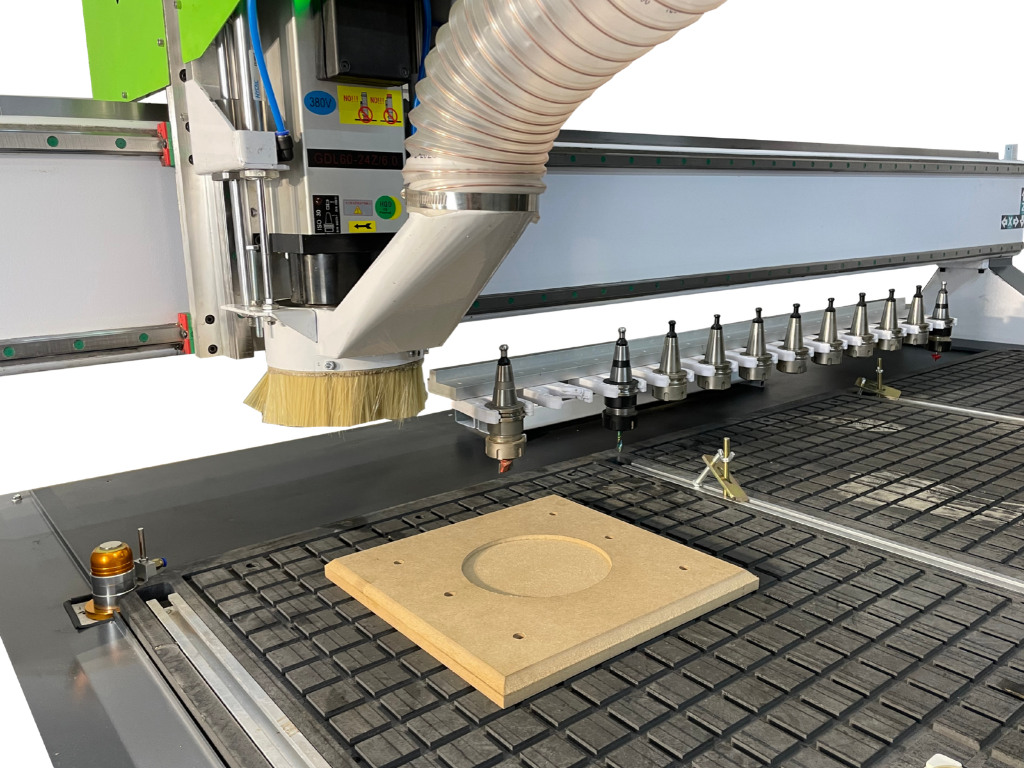
The question “how much does a CNC machine cost?” sounds simple, but does not give a complete picture of the investment. The machine itself is the main expense, but after delivery it still needs positioning, connecting, commissioning and equipping. Extraction, cooling, compressed air, a computer, software, tools and material for testing may also be needed.
It is therefore safer to ask about the cost of setting up an entire CNC workstation, rather than just the machine price. For a hobbyist, that means a small CNC router or laser with basic equipment. For a small business, it may be a complete investment including transport, premises preparation, operator training and stock for the first orders.
There is no single amount that suits everyone. A small CO₂ laser for wood and acrylic requires a different budget from a CNC router for panels, or a CNC plasma cutter or fibre laser for metal. Material format, planned operating hours and required accuracy also affect the final cost.
What makes up the total cost of a CNC workstation?
The simplest approach is to divide the investment into several categories. This helps avoid spending the entire budget on the machine and then having too little left to commission it safely and efficiently.
1. The machine and its configuration
The equipment price depends primarily on technology, work area, power, equipment and intended use. A small machine for occasional work costs less than one designed for long production runs. Differences include:
- worktable size;
- laser, spindle or plasma source power;
- structural rigidity and guiding accuracy;
- table type, such as a slat, water or vacuum table;
- automatic height adjustment and homing;
- control system and software;
- potential for future expansion.
Machine customisation also matters. Two machines with similar work areas can have very different prices if one has more powerful components and automation matched to everyday production. When requesting a quotation, ask about the possibility of fitting:
- more powerful stepper motors or servo drives where speed, dynamics and repeatability matter;
- a more powerful spindle, inverter and cooling system on a router intended for harder materials;
- a more powerful CO₂ laser tube with a suitable power supply and chiller for faster cutting of thicker materials;
- a branded fibre source, cutting head and cooling system for metal processing;
- a slat, water or vacuum table to suit the waste, material and workholding method;
- automatic height adjustment, a tool probe, homing sensors or a rotary attachment;
- CAD/CAM software, nesting, production control and modules that shorten job preparation.
Each change can raise the purchase price, but not every change pays off in every workshop. Servo drives make more sense in fast, repeatable production than for a few projects per month. A more powerful laser tube can shorten cutting time but requires suitable cooling, power supply, optics and construction. More expensive software, meanwhile, may pay for itself when the operator prepares many files or sheet layouts every day.
Do not compare just two headline quotation figures. A higher-powered CO₂ laser may cut faster, but without good extraction, cooling and stable mechanics, it will not fulfil its potential. Likewise, plasma metal cutting needs an appropriate source, torch height control and a compressed-air system.
2. Transport, moving into the building and positioning
Machine transport is not always included. Delivery may require a specialist vehicle, unloading, moving through a doorway or a forklift. Measure doorways, access routes and room height in advance.
After positioning, check levelling, floor stability and access to every service point. Insufficient clearance makes cleaning, part replacement and repairs harder. Transport and installation may be modest compared with the machine price, but unplanned logistics can delay production.
3. Preparing the premises and utilities
A CNC workstation needs suitable space. Allow not only for the machine footprint but also material loading, finished parts, operator access and the route for removing contaminants.
The main checks are:
- electrical supply and protective devices;
- floor load capacity and levelness;
- room temperature and humidity;
- ventilation and the feasibility of an extraction duct;
- lighting and noise levels;
- space for a computer, materials and waste.
Some machines need three-phase power. A laser may need cooling, while a CNC plasma cutter or fibre laser may need compressed air or process gas. If the premises lack suitable connections, include installation in the budget.
4. Extraction, filtration and safety
Extraction is not an optional extra. Laser cutting produces fumes and combustion products. Routing creates chips and dust, while metal cutting produces fumes and spatter. The system must suit the technology, material and workload.
Laser cutters present risks including fire and irritating or hazardous combustion products. They therefore need effective ventilation, air assist, regular cleaning and control of the materials being processed. A working machine should not be left unattended.
In practice, workstation costs may include a fan, ducting, filter, extraction table, dust separator or industrial filtration. Metal cutting also requires filter cleaning and slag removal. Extraction consumes energy and may need replacement filter media, but omitting it leads to worse working conditions, contamination, downtime and increased fire risk.
Also allow for an appropriate fire extinguisher, procedures, workstation signage and training. Personal protective equipment matters but does not replace effective ventilation and engineering safeguards.
5. Tools, fixtures and test materials
A CNC router needs cutters, collets, holders, fixtures and often chip extraction. A laser needs suitable lenses, optical components, test materials and cleaning products. Plasma uses torch consumables such as nozzles and electrodes.
Test material is also needed at the start. Initial trials establish speed, power, feed, focus and workholding. This is a normal commissioning cost. Testing a few pieces of plywood, MDF, acrylic or sheet metal can prevent ruining a full sheet on the first order.
Do not immediately buy large stocks of every tool and material. Start with the products your business will actually use, then expand equipment as orders develop.
6. Software and file preparation
The machine cannot produce a design without a properly prepared file. Depending on the technology, you will need CAD, CAM, nesting or laser and plasma control software. Some software may be supplied with the machine but does not always include every feature needed for everyday work.
Include licences, updates, a computer and learning time in the budget. For a small business, the issue is not just software price but whether the operator can prepare a correct file quickly and obtain help if problems arise.
7. Training and initial commissioning
Good training shortens the route from delivery to the first correct part. The operator should learn machine operation, material preparation, parameter setting, cleaning, basic maintenance and safety.
Ask whether installation, commissioning, training and a test part are included. Otherwise treat them as separate items. In a business, training should cover everyone preparing files, operating the equipment or maintaining it.
Indicative budget — how should you approach the figures?
The following breakdown is not a price list and does not replace an individual quotation. It simply shows which spending categories to include. Prices depend on technology, configuration, VAT, installation location and the manufacturer’s service scope.
| Investment item | What does it include? | How should you budget for it? |
| Machine | Equipment, source, spindle or torch, table and controls | The largest item, but not the only one |
| Transport and installation | Delivery, unloading, positioning and connection | Check whether included in the quotation |
| Infrastructure | Power, ventilation, cooling and compressed air | Depends on the premises’ condition |
| Extraction and safety | Fan, filtration, ducting, air assist and fire extinguisher | Essential for safe work |
| Tools and fixtures | Cutters, workholding, optics and torch parts | Initial expense and later operating cost |
| Software and computer | Applications, licences, computer and file backups | One-off or subscription |
| Training and testing | Learning operation, parameters and test material | Helps production start sooner |
| Start-up capital | Materials, packaging, marketing and contingency | Protects against work stopping after purchase |
A practical rule is to add an equipment and commissioning contingency to the machine price, determining its size after checking the specific configuration. Some items may already be included in a simple workstation package. In more demanding production, infrastructure and auxiliary equipment costs can be substantial.
How much might the whole investment cost?
To turn these principles into figures, consider three illustrative scenarios. These are indicative budgets including VAT, not a Roboteus price list. They assume a new machine, basic commissioning and premises that do not require major renovation.
| Example workstation | Machine price | Other start-up costs | Indicative total budget |
| CO₂ laser around 80 W for wood, MDF and acrylic | 20 000–45 000 zł | 5 000–12 000 zł | 25 000–57 000 zł |
| CNC router for panels and signage components | 40 000–75 000 zł | 8 000–18 000 zł | 48 000–93 000 zł |
| CNC plasma cutter for metal cutting | 50 000–120 000 zł | 15 000–35 000 zł | 65 000–155 000 zł |
Why such differences? These ranges are practical estimates for new machines and basic configurations, based on typical price levels in this equipment class and auxiliary equipment costs. They are not any particular manufacturer’s price list. Higher power, servo drives, a branded source, automation or a custom table can raise the final amount substantially.
In the CO₂ laser scenario, the additional 5 000–12 000 zł may cover extraction, cooling, air assist, hoses and ducting, basic optics, test materials and training. For a router, cutters, workholding, chip extraction, a computer and software may account for more of the extra budget. Plasma also requires a compressor or compressed-air installation, fume extraction, torch consumables and floor preparation.
If the premises need new wiring, ventilation ducting, floor reinforcement or handling equipment for unloading, the budget may rise by several thousand or well over ten thousand złoty. Before buying, therefore, request a quotation for the complete workstation rather than the machine alone.
Costs that arise after commissioning
Investment does not end with the first cut. Running costs include electricity, compressed air, cooling, extraction, tools, lenses, nozzles, cleaning products, service and waste. Operator time and file preparation are additional.
To calculate profitability, dividing the machine price by the number of months is not enough. Account for actual working time. Changeovers, loading, measurement, cleaning and quality checks occupy part of the day. The full hourly cost includes depreciation, energy, utilities, tools, the operator, maintenance and repairs.
Keep a simple log of machine hours, materials consumed, parts replaced and job preparation time. After a few weeks, calculating the real product cost and setting a selling price becomes easier.
How can you avoid overspending at the start?
The biggest mistake is buying equipment “just in case” without defining materials and order volumes. First write down what you want to process, in what thicknesses and formats, and how many pieces you expect to make monthly.
Then ask the manufacturer for the full delivery scope. Check whether the quotation includes transport, installation, training, software, extraction, cooling, compressor, table, starter kit and warranty. A test on your own material is also valuable: it shows not just result quality but processing time and workstation preparation.
Do not cut costs on safety and continuity. Cheaper extraction, poor workholding or no spare parts can quickly cause downtime. Equally, there is no need to buy equipment the business will not use in the coming months.
Summary: calculate the whole workstation, not just the machine
Setting up a CNC workstation costs much more than the equipment price alone. Include transport, premises preparation, utilities, extraction, safety, tools, software, training, test materials and contingency for the first months.
For a hobbyist, the priority is whether the machine fits and can be connected safely. For a small business, output, servicing, parts availability and real hourly cost are equally important. The best configuration need not be the largest. It should suit the material, order volume and growth plan.
To explore a complete workstation for wood, MDF, acrylic, metal or other materials, contact Roboteus. Together we can analyse the entire process, from preparing the space to the first finished parts, as well as the machine price. More information is available at roboteus.com.
Contact: +48 533 566 701
Sources
MIT Environment, Health & Safety — Laser Cutter Safety
Ellison Technologies — CNC Machine Cost Guide
HEIDENHAIN — How to Reduce Total Cost of Ownership in Manufacturing
Carverall — CO₂ Laser Maintenance Guide: Lens, Mirrors and Cooling
ACME Laser — How to Choose the Right Fiber Laser Source
Editorial note
Before publication, amounts and cost components should be matched to specific models and the current Roboteus offer. This article deliberately gives no universal price because workstation costs depend on technology, configuration, local installation conditions and planned workload.